





In today’s world, staying connected on the road is no longer a luxury – it’s a necessity. Whether you’re heading to a meeting in Sebring, enjoying a family road trip from Alpine, or tackling errands around Avon Park, your Chevrolet’s built-in Wi-Fi hotspot ensures you’re always in touch with what matters most. Setting up your Chevy Wi-Fi hotspot is quick and simple, and once you’re connected, you can stream, browse, and stay productive – all from the comfort of your vehicle. Ready to get started? Let’s walk through the steps to activate your Chevy hotspot. And if you’re in the market for a new ride with all the latest tech, visit Huston Chevrolet today to explore our inventory of Silverado, Suburban, and Trailblazer models. Stay connected, wherever the road takes you!
Getting Started: Activating Your Chevrolet Built-In Hotspot
Setting up your Chevrolet’s built-in Wi-Fi hotspot is quick and easy. Once activated, you’ll be able to connect to Chevrolet Wi-Fi and stay online wherever you go. Whether you’re cruising in your Silverado, exploring in your Suburban, or running errands in your Trailblazer, the process is simple.
Here’s how to get started:
- Turn on Your Vehicle: Make sure your vehicle is either running or in accessory mode to activate the hotspot.
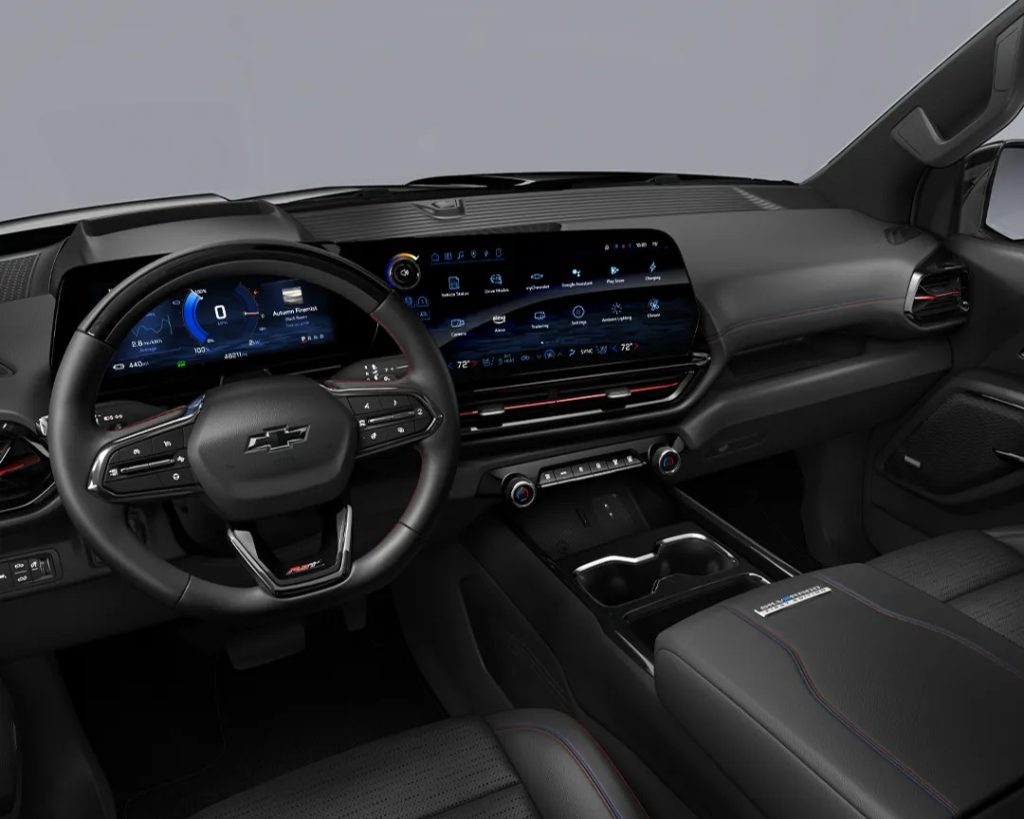
- Go to Settings: On your Chevrolet’s touchscreen display, tap “Settings” to begin the process.
- Select ‘Wi-Fi’: Scroll through the menu and select “Wi-Fi” to access your hotspot options.
- Manage Wi-Fi Networks: Choose “Manage Wi-Fi networks.” If you haven’t set up your hotspot yet, this is where you’ll start.
- Select Your Hotspot: You should now see your Chevy hotspot listed. Tap on it to select it and get a default password.
- Connect to Chevrolet Wi-Fi: Using your mobile device, go to your Wi-Fi settings, and select your Chevy hotspot. Enter the password provided in the settings, and you’re connected!
Once connected, your Chevy Wi-Fi hotspot is ready to provide a fast, reliable internet connection for your devices. This feature is perfect for long drives or keeping passengers entertained during a trip.
If you’re new to the Chevy family or need help activating the Wi-Fi in your vehicle, stop by Huston Chevrolet today. Our team will make sure you’re all set up and ready to go!
Six Simple Steps to Connect to Your Chevy Wi-Fi Hotspot
Connecting to your Chevrolet built-in Wi-Fi hotspot is simple and quick. Whether you’re driving a Silverado, Suburban, or Trailblazer, getting connected ensures you stay online on the go. Just follow these six easy steps to start using your Chevy Wi-Fi hotspot:
- Turn on Your Vehicle: Before anything else, make sure your vehicle is running or in accessory mode. This is necessary to activate the Wi-Fi hotspot.
- Open Settings on Your Touchscreen: Tap the “Settings” icon on your vehicle’s touchscreen. This will bring up the main menu for your Chevy’s features.
- Select ‘Wi-Fi’: In the Settings menu, scroll to find the Wi-Fi option. Tap on it to open the Wi-Fi settings.
- Manage Wi-Fi Networks: Choose “Manage Wi-Fi Networks” to see all available hotspots. Your vehicle’s Chevy Wi-Fi hotspot should appear in the list.
- Select Your Hotspot: Tap your Chevy’s Wi-Fi hotspot. You’ll be prompted with a default password, which will allow you to connect to Chevrolet Wi-Fi.
- Connect with Your Device: On your mobile device, open Wi-Fi settings. Look for your Chevy’s Wi-Fi hotspot and select it. Enter the default password, and you’re connected!
Once you’ve completed these steps, you and your passengers are ready to stream, browse, or work from anywhere. The Chevy Wi-Fi hotspot provides fast, reliable internet on the go, so you don’t have to worry about missing out on important connections during your travels.
Now that you know how to connect to Chevrolet Wi-Fi, you’re ready to enjoy the benefits of in-vehicle internet. Whether you’re on a family road trip in your Suburban or handling business on the road in your Silverado, staying connected has never been easier.
If you need help setting up or have any questions about your vehicle’s Wi-Fi capabilities, stop by Huston Chevrolet. Our team is always here to assist you and make sure your Chevy is ready for anything!
Customizing Your Chevrolet Wi-Fi Hotspot Settings
Personalizing your Chevrolet Wi-Fi hotspot settings allows you to tailor your in-vehicle internet experience. Whether you’re driving a Silverado, Suburban, or Trailblazer, you can easily adjust the hotspot name, password, and other options to suit your needs. Here’s how you can customize your Chevy Wi-Fi hotspot settings.
1. Access the Wi-Fi Settings: First, ensure your vehicle is on or in accessory mode. On your Chevrolet’s touchscreen, go to the “Settings” menu. From there, tap the “Wi-Fi” option to access the Wi-Fi settings.
2. Personalize the Hotspot Name: The hotspot name, also known as the Service Set Identifier (SSID), is the network’s identity. You can change it to something more memorable. This makes it easier for you and your passengers to find and connect to your Chevy Wi-Fi hotspot.
- Tap the “Wi-Fi Hotspot” icon on the touchscreen.
- Choose “Edit” next to the SSID.
- Type in a custom name, such as “Silverado Wi-Fi” or “Trailblazer Hotspot.”
3.Set a New Password: For added security, you can create a new password for your Chevy Wi-Fi hotspot. When you connect to Chevrolet Wi-Fi, your mobile device will prompt you for a password. Make it something secure but easy for you to remember. Here’s how to update it:
- In the “Wi-Fi Hotspot” menu, tap “Change Password.”
- Enter a new, strong password with a mix of letters, numbers, and symbols.
- Save your changes. The new password will now be required to connect to the Wi-Fi.
4. Turn the Hotspot On and Off: You can also control whether the Wi-Fi hotspot is active. If you don’t need internet access while driving, simply turn it off to save data or battery.
- In the same “Wi-Fi Hotspot” menu, toggle the hotspot on or off with a simple tap.
- Turning off the hotspot when not in use can help conserve energy.
5. Monitor Data Usage: Keep track of your data usage directly through your vehicle’s system. It’s especially important if you’re using a limited data plan. You can check how much data you’ve used and make adjustments as needed.
By following these easy steps, you can fully customize your Chevrolet built-in hotspot and optimize your in-car internet experience. Whether you’re using your Suburban for a family road trip or your Silverado for work on the go, the Chevy Wi-Fi hotspot will keep you connected wherever you drive. If you need any help or have questions, feel free to stop by Huston Chevrolet!
Connecting Multiple Devices: Stay Online on the Go
One of the best features of Chevrolet’s built-in hotspot is its ability to connect multiple devices at once. Whether you’re traveling in a Silverado, Suburban, or Trailblazer, the Chevy Wi-Fi hotspot allows everyone in your vehicle to stay online and connected. Here’s how you can easily connect multiple devices and keep everyone happy on the road:
1. Seamless Connection for All Devices: With the Chevrolet Wi-Fi hotspot, you can connect up to seven devices at once. Whether it’s your phone, tablet, laptop, or gaming device, there’s enough bandwidth for everyone. Now, no one has to fight for a connection, and everyone can enjoy the internet at the same time.
2. How to Connect Your Devices: Getting online is simple. Just follow these easy steps:
- Turn on your vehicle and ensure the Wi-Fi hotspot is activated.
- Open the Wi-Fi settings on your device.
- Select the Chevy Wi-Fi hotspot from the available networks.
- Enter the password (this can be found in the settings of your vehicle’s infotainment system).
- Enjoy seamless connectivity while on the go.
The process is quick, and the connection is reliable, so you won’t have to worry about interruptions.
3. Perfect for Road Trips and Family Travel: Whether you’re on a long road trip or just running errands, the ability to connect multiple devices turns travel into a fun and productive experience. Passengers can stream movies, work on projects, or even play online games. Parents can stay connected while kids enjoy their favorite shows or educational apps.
4. Work on the Go: For business travelers or remote workers, the Chevrolet hotspot allows you to stay on top of work. You can attend meetings, check emails, or make video calls while you’re cruising in your Suburban or Silverado. No need to wait until you reach your destination to get things done.
5. Keep Everyone Entertained: No more fighting over whose turn it is to use the device. With the ability to connect multiple devices, your family or friends can enjoy the journey in their own way. Whether it’s watching movies, streaming music, or browsing social media, everyone gets to stay entertained and connected.
With the Chevrolet Wi-Fi hotspot, staying connected on the go has never been easier. Whether you’re driving a Silverado, Suburban, or Trailblazer, you’ll be able to keep multiple devices online, making your travels smoother and more enjoyable.
Chevrolet Wi-Fi: How It Enhances Your Road Trips in the Suburban, Silverado, and Trailblazer
When it comes to long road trips, staying connected can make all the difference. Chevrolet’s built-in hotspot offers seamless connectivity, so you can stay in touch, entertained, and informed while on the move. Whether you’re driving a Suburban, Silverado, or Trailblazer, here’s how your Chevy Wi-Fi hotspot can enhance your road trip experience:
1. Stay Connected Anywhere: With the Chevy Wi-Fi hotspot, you can connect to Chevrolet Wi-Fi from virtually anywhere. Whether you’re driving through a remote stretch of highway or exploring scenic routes, you’ll stay connected without worrying about dropped signals or weak connections.
2. Keep Passengers Entertained: For families or groups of friends, the ability to connect multiple devices makes travel more enjoyable. Kids can stream movies on the backseat, while adults can browse the web or catch up on work. The Chevrolet hotspot supports up to seven devices at once, ensuring everyone can stay entertained throughout the journey.
3. Access Navigation and Real-Time Information: Using the Chevrolet Wi-Fi hotspot, you can get real-time navigation updates. Whether you’re in a Silverado heading to a camping site or a Suburban on a cross-country road trip, the internet connection allows you to access maps, weather updates, and travel advisories. You’ll never have to worry about getting lost or missing out on important travel details.
4. Share Your Road Trip Experience: With your Chevrolet hotspot, you can instantly share your adventures on social media, sending photos, videos, and status updates in real-time. Whether you’re driving through the mountains in a Trailblazer or cruising along the coast in a Suburban, sharing your experience is easier than ever.
5. Stay on Top of Work: For those who can’t afford to disconnect, the Chevrolet Wi-Fi hotspot helps you stay productive on the road. Catch up on emails, attend virtual meetings, or finish up that presentation while traveling. With reliable internet in your Silverado or Trailblazer, you can get things done even while away from the office.
Your Chevrolet Wi-Fi hotspot turns any road trip into a connected experience. Whether you’re in a Suburban, Silverado, or Trailblazer, it ensures you never lose touch with the world around you.
Do I need a data plan or subscription for the built-in hotspot?
- Yes, you will need a data plan or subscription to activate the Chevrolet built-in hotspot. The hotspot requires an active service plan through a wireless provider.
How do I change my hotspot’s network name and password?
- You can change your hotspot’s network name and password through the vehicle’s settings menu on the Chevrolet infotainment system. Look for the Wi-Fi settings and follow the prompts to modify the network details.
Can multiple passengers stream or browse simultaneously without lag?
- Yes, multiple passengers can stream or browse simultaneously without significant lag, provided you have a strong data connection. However, the quality may vary based on the network signal strength and the number of devices connected.
Enjoy Connectivity on the Go with Huston Chevrolet
Now that you know how to connect to and customize your Chevrolet built-in hotspot, it’s time to hit the road with confidence. If you’re from Avon Park, Alpine, or Sebring, we invite you to visit Huston Chevrolet and explore our wide selection of vehicles, including the Silverado, Suburban, and Trailblazer.
Need more guidance on your next ride? Check out some of our recent posts, like exploring which Chevy SUV is right for your family, discovering how to get back on the road after a storm, or why does everyone think malibu is in Florida?. Don’t forget to visit our new vehicle inventory to find your perfect Chevrolet!
At Huston Chevrolet, we’re ready to help you connect, explore, and drive with ease. Reach out today for more information or to schedule your next visit.
Get Directions to Huston Chevrolet
Disclaimer: All information is provided for general informational and entertainment purposes only. While we strive for accuracy, we cannot guarantee that all content is complete, current, or error-free. Any reliance you place on such information is strictly at your own risk. This article may include opinions and is not endorsed by, or officially affiliated with, any vehicle manufacturer or brand. Always consult official sources – such as the vehicle’s owner’s manual, authorized dealerships, or certified professionals – for the most up-to-date and personalized information.
Connect with us


- October 2025
- September 2025
- August 2025
- July 2025
- June 2025
- May 2025
- March 2025
- February 2025
- January 2025
- December 2024
- November 2024
- October 2024
- September 2024
- August 2024
- July 2024
- June 2024
- May 2024
- April 2024
- March 2024
- February 2024
- January 2024
- December 2023
- November 2023
- October 2023
- September 2023
- August 2023
- July 2023
- June 2023
- April 2023
- March 2023
- January 2023
- November 2022
- September 2022
- August 2022
- July 2022
- May 2022
- April 2022
- March 2022
- January 2022
- December 2021
- August 2021
- July 2021
- June 2021
- May 2021